

A stylized shader aimed to make your game look retro!
Товар
О товаре
CRT Shader aiming to give Minecraft a retro style!
Current features include:
- Imitating Pixels
- Lens Distortion
- Chromatic Aberration and Bleed
- Posterization
- Scan Line
Customization
While there still are limitied options I aimed to add as much customibitlity as possible giving you the ability to tweak most features to your liking :D
Warnings
This shader should work with Optifine and Iris from 1.8.9 - 1.20.1, if you encounter any issues you can allways report them :D
Also from experience this shader does strain your eyes if you play with it on for hours on end.
The appearance may not be the best in images as it is best experienced in game.
Installation
- First you need to install either OptiFine or the Iris mod to be able to load shaderpacks. (Choose Iris if you are unsure)
- Then you need to launch the game, and get to the Shaderpacks/Shaders menu in Video Settings.
- Open the shaderpacks folder by clicking the button in the menu.
- Download the CRT Shader and put it in the shaderpacks folder.
- Get back in the game, and choose CRT_Shader in the shaderpacks menu. (Refresh the menu if it doesn't appear)
Превью
Изображения товара
Окружение
Требования и совместимость
Совместимость и требования
IrisOptifine1.8.9 – 1.20.1
Локальный хост
Required
Хостинг на сервисах
Unsupported
Условия
Лицензия
Условия использования, изменения и распространения этого товара.
GNU Lesser General Public License v3.0 or laterModrinth
Релиз
Последний релиз
v1.1
18.08.2024 · Modrinth
Features include:
- Added better default shaders so entities, and screen overlays will now be shown correcrly (Thanks to XorDevs-Default-Shaderpack)
- Compatible with most versions from 1.8.9 to 1.20.1
- Renamed the folder SCAN_LINES to Scan Line
Tested on optifine and multiple versions now and if you have any issues report them!
Галерея
Изображения проекта
Скриншоты и изображения из оригинальной страницы Modrinth.
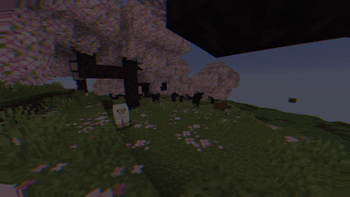
Cherry blossom forest
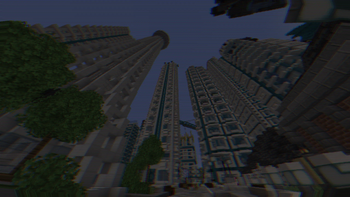
City
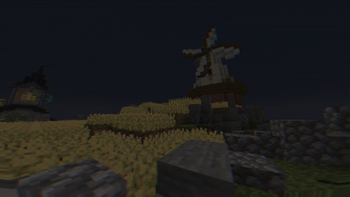
Windmill with a farm
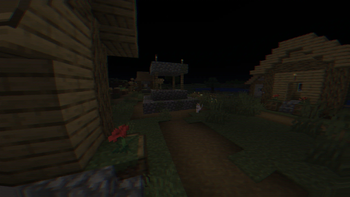
Village at night
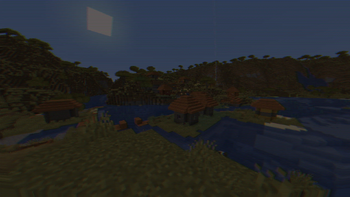
Acacia Village
История
Версии проекта
Опубликованные версии и оригинальные файлы Modrinth.
v1.1ПоследняяRelease
18.08.2024 · 22 799 загрузки
IrisOptifine1.8.91.91.9.11.9.21.9.31.9.41.101.10.1
Features include:
- Added better default shaders so entities, and screen overlays will now be shown correcrly (Thanks to XorDevs-Default-Shaderpack)
- Compatible with most versions from 1.8.9 to 1.20.1
- Renamed the folder SCAN_LINES to Scan Line
Tested on optifine and multiple versions now and if you have any issues report them!
v1.0Release
16.08.2024 · 408 загрузки
IrisOptifine1.17.11.181.18.11.18.21.191.19.11.19.21.19.3
First release of the CRT shader!
Features include:
- Imitating Pixels
- Lens Distortion
- Chromatic Aberration and Bleed
- Posterization
- Scan Line
[TESTED ON 1.20.1, NO GUARANTEE THAT IT WILL WORK ON OTHER VERSIONS]
Листайте товары колесом или стрелками