

Товар
Про товар
Alpha Piscium
High-quality realistic Minecraft shaderpack featuring global illumination, volumetric clouds, atmospheric scattering, and stunning visual effects.
Official Website link: https://alphapiscium.org/ \
Discord server link: https://discord.gg/E2Uq2MmHgq
Features
- Real-time Global Illumination
- Reservoir-based SpatioTemporal Importance Resampling (ReSTIR) based Screen-Space Global Illumination
- ReBLUR based denoising
- Realistic, real-time, and fast Atmospheric Scattering
- Real-time Volumetric Clouds
- High-quality adaptive Shadows
- Rectilinear Texture Warping (RTWSM)
Installation
- Download the Alpha Piscium shaders for Minecraft from Modrinth or GitHub Release.
- Install Iris shader loader.
- Open the Minecraft launcher and choose the Iris profile you just created with the version you're playing.
- Launch Minecraft.
- Go to Options → Video Settings → Shader Packs, then click Open Shader Pack Folder.
- Move the downloaded ZIP file into this folder (
.minecraft/shaderpacks). - In-game, select the newly installed pack from the shaders list. (If you select a shader pack using Iris, its filename will turn yellow.)
- Click Done or Apply and the shader will be loaded.
FAQ
- No lighting at night: Please use PBR resource packs. For vanilla style, SPBR is recommended. Otherwise, try Patrix.
- Can't load shaderpack: Please use Iris with version 1.7 or higher.
- Everything goes dark when turning back: This is due to the limitations of screenspace techniques. There isn't a perfect way to fix this.
- Intel GPU: Alpha Piscium uses cutting-edge graphics technology. Unfortunately, Intel doesn't maintain their OpenGL driver well, so Intel GPUs are not supported.
- AMD GPU: Check if your GPU driver is newer than 22.7.1. If older, please update your driver.
- Other loading errors: Press Ctrl+D in Iris's shaderpack selection screen, then reload the shaderpack. Make an issue with the error message and the relevant files in
.minecraft/patched_shadersas shown in the error message.
Roadmap
1.9 Specular GI
- Add specular GI
2.0 World Space Tracing
- Add voxelization and voxel tracing
2.1 DRT Update
- Release Skibidi DRT
- HDR mod support?
2.2 Volumetrics shadowing
- Add cloud shadowing to volumetrics
- Add screen space shadow to volumetrics
2.3 Local fog
- Add ground fog
2.4 Cloud shadow
- Add cloud shadow to terrain rendering
- Add cloud to reflection/GI
2.5 Cloud update part 1
Improve cloud lighting
* Add altocumulus
* Rewrite cirrus modeling
2.6 Cloud udpate part 2
- Rewrite cumulus modeling
- Add stratocumulus and nimbostratus
2.7 Upscaling???
- Add FSR 3.1 (no framegen)
2.8 Parallax mapping???
- Add steep/smooth parallax mapping
- Add parallax mapping shadow
License
Files under the scripts directory are licensed under the MIT License. All other files are licensed under the GNU General Public License v3.0.
Прев’ю
Зображення товару
Середовище
Вимоги та сумісність
Сумісність і вимоги
Iris1.20.5 – 1.21.11
Локальний хост
Required
Хостинг на сервісах
Unsupported
Умови
Ліцензія
Умови використання, зміни та поширення цього товару.
GNU General Public License v3.0 onlyModrinth
Реліз
Останній реліз
v1.9.1
28.06.2026 · Modrinth
Highlight
- Reworked ReSTIR GI reuse and denoising to reduce fireflies, specular instability, and temporal artifacts
- Optimized the reuse texture pipeline to lower overhead while keeping clustered spatial reuse effective
New
- Added water wave frequency and speed settings
- Added a PowerShell
shadesmithrunner for configured local execution
Improvement
- Improved ReSTIR spatial reuse with quad-group / 8-sample grouping, tighter pass limits, and reuse-texture packing changes
-...
Галерея
Зображення проєкту
Скриншоти та зображення з оригінальної сторінки Modrinth.
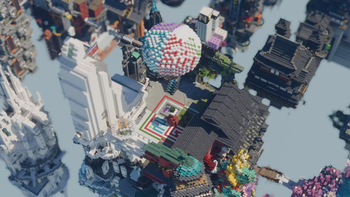
Specular GI Update #7
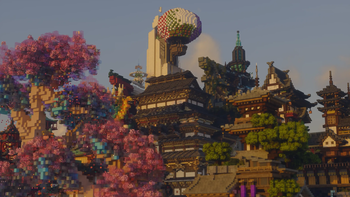
Specular GI Update #6

Specular GI Update #5
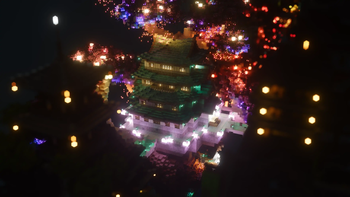
Specular GI Update #4
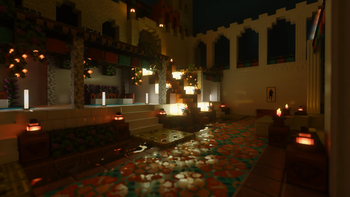
Specular GI Update #3
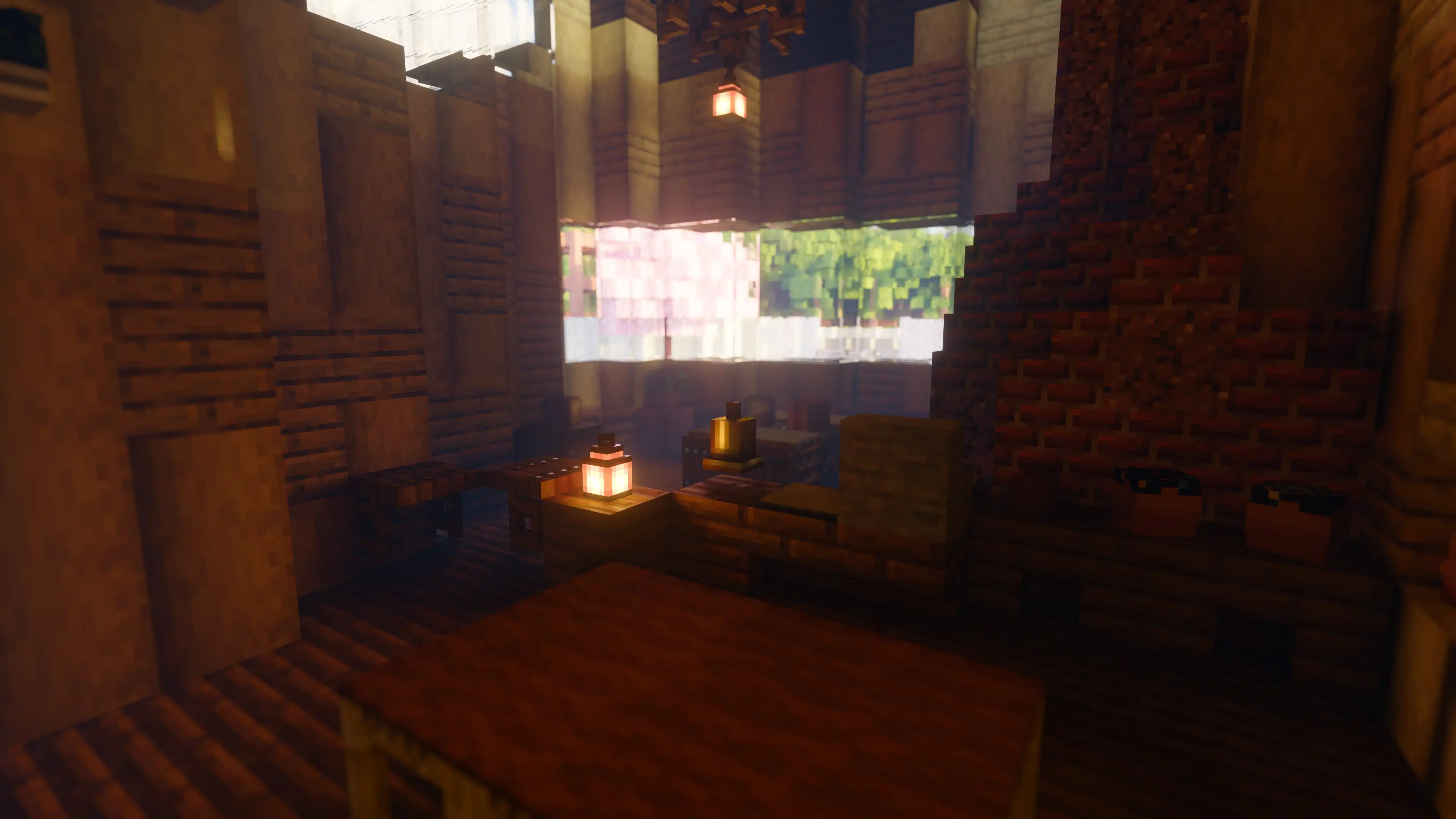
Specular GI Update #2
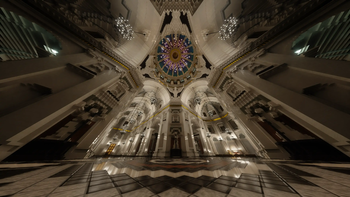
Specular GI Update #1

ReSTIR update #4

ReSTIR update #3

ReSTIR update #2

ReSTIR update #1

City at Night #4

City at Night #3

City at Night #2

City at Night #1

City at Night by leed #2

City at Night by leed #1

Cumulus Cloud Update #5

Cumulus Cloud Update #4

Cumulus Cloud Update #3

Cumulus Cloud Update #2

Cumulus Cloud Update #1

Water Update #5

Water Update #4
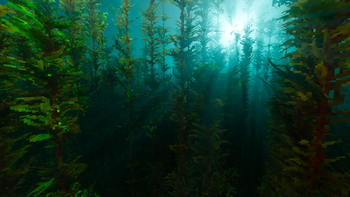
Water Update #3

Water Update #6

Water Update #2
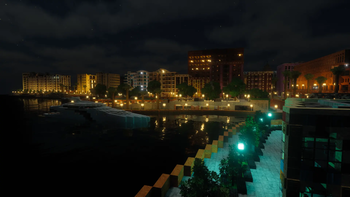
Water Update #1

Translucent Update

Cloud Update #2
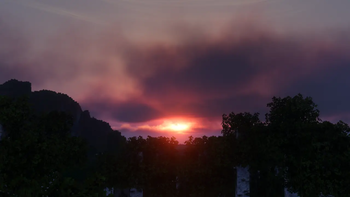
Cloud Update #1
Історія
Версії проєкту
Опубліковані версії та оригінальні файли Modrinth.
v1.9.1ОстанняRelease
28.06.2026 · 10 244 завантаження
Iris1.20.51.20.61.21.1-rc11.21.11.21.2-pre11.21.2-pre21.21.2-pre31.21.2-pre4
Highlight
- Reworked ReSTIR GI reuse and denoising to reduce fireflies, specular instability, and temporal artifacts
- Optimized the reuse texture pipeline to lower overhead while keeping clustered spatial reuse effective
New
- Added water wave frequency and speed settings
- Added a PowerShell
shadesmithrunner for configured local execution
Improvement
- Improved ReSTIR spatial reuse with quad-group / 8-sample grouping, tighter pass limits, and reuse-texture packing changes
- Improved specular GI stability with better temporal reprojection, pairwise MIS metadata handling, and specular-lobe-biased resampling
- Reduced blur and flicker in denoising, TAA, RTWSM, diffuse AO, water surfaces, and auto exposure behavior at low FPS
- Optimized shadow sampling and removed unnecessary work from specular reprojection and caustics filtering
- Updated shader/options/program generation scripts for the current pass layout and multi-properties workflow
Fix
- Fixed ReSTIR spatial reuse texture tiling and continue-trace discard issues
- Fixed specular reprojection failure noise and over-blurred smooth reflections in the denoiser
- Fixed the
SETTING_DENOISER_ACCUMswitch and the spatial-filter disabling setting - Fixed TAA edge-pixel out-of-bounds artifacts
- Fixed screen-space shadow acne on very flat surfaces
- Fixed indirect/program pass generation issues
Misc
- Merged GI edge classification with volumetrics depth layers
- Moved
ReprojectInfoout of GI common utilities and cleaned up related reuse / temporal code - Removed obsolete caustics filter, redundant surface-position specular reprojection, and unused GI helper paths
v1.9.1-Beta1Beta
17.06.2026 · 19 091 завантаження
Iris1.20.51.20.61.21.1-rc11.21.11.21.2-pre11.21.2-pre21.21.2-pre31.21.2-pre4
Highlight
- Reworked ReSTIR GI reuse and denoising to reduce fireflies, specular instability, and temporal artifacts
- Optimized the reuse texture pipeline to lower overhead while keeping clustered spatial reuse effective
New
- Added water wave frequency and speed settings
- Added a PowerShell
shadesmithrunner for configured local execution
Improvement
- Improved ReSTIR spatial reuse with quad-group / 8-sample grouping, tighter pass limits, and reuse-texture packing changes
- Improved specular GI stability with better temporal reprojection, pairwise MIS metadata handling, and specular-lobe-biased resampling
- Reduced blur and flicker in denoising, TAA, RTWSM, diffuse AO, water surfaces, and auto exposure behavior at low FPS
- Optimized shadow sampling and removed unnecessary work from specular reprojection and caustics filtering
- Updated shader/options/program generation scripts for the current pass layout and multi-properties workflow
Fix
- Fixed ReSTIR spatial reuse texture tiling and continue-trace discard issues
- Fixed specular reprojection failure noise and over-blurred smooth reflections in the denoiser
- Fixed the
SETTING_DENOISER_ACCUMswitch and the spatial-filter disabling setting - Fixed TAA edge-pixel out-of-bounds artifacts
- Fixed screen-space shadow acne on very flat surfaces
- Fixed indirect/program pass generation issues
Misc
- Merged GI edge classification with volumetrics depth layers
- Moved
ReprojectInfoout of GI common utilities and cleaned up related reuse / temporal code - Removed obsolete caustics filter, redundant surface-position specular reprojection, and unused GI helper paths
v1.9.0Release
26.05.2026 · 8 376 завантаження
Iris1.20.51.20.61.21.1-rc11.21.11.21.2-pre11.21.2-pre21.21.2-pre31.21.2-pre4
Highlight
- Added specular GI
New
- Added specular GI
Fix
- Increased AE speed at low fps
- Fixed screenspace shadow uninitialized warnings
- Fixed handheld alpha test shadow
- Fixed Voxy before 0.2.6
v1.9.0-Beta1Beta
19.05.2026 · 27 637 завантаження
Iris1.20.51.20.61.21.1-rc11.21.11.21.2-pre11.21.2-pre21.21.2-pre31.21.2-pre4
Highlight
- Added specular GI
New
- Added specular GI
Fix
- Increased AE speed at low fps
- Fixed screenspace shadow uninitialized warnings
- Fixed handheld alpha test shadow
v1.8.6-Hotfix1Release
02.05.2026 · 7 377 завантаження
Iris1.20.51.20.61.21.1-rc11.21.11.21.2-pre11.21.2-pre21.21.2-pre31.21.2-pre4
Fix
- Fixed no voxy bug
v1.8.6Release
26.04.2026 · 2 108 завантаження
Iris1.20.51.20.61.21.1-rc11.21.11.21.2-pre11.21.2-pre21.21.2-pre31.21.2-pre4
Highlight
- Added Voxy support
- Switched to Adobe f82 Schlick fresnel, replacing the previous HCM model for more accurate specular appearance
New
- Added video render mode setting
Improvement
- Switched to regular spherical cap GGX VNDF sampling for translucent
- Shadow sample optimization for improved performance
Fix
- Fixed temporal reuse exploding after zooming in
- Fixed shadow rendering on SSS (subsurface scattering) surfaces
- Fixed water scattering overflow near sunset/sunrise
- Fixed
time_interpolatebehavior - Fixed atmosphere depth break indirect dispatch
Misc
- Cleaned up SST and ReSTIR temporal reuse logic
v1.8.6-Beta1Beta
21.04.2026 · 1 359 завантаження
Iris1.20.51.20.61.21.1-rc11.21.11.21.2-pre11.21.2-pre21.21.2-pre31.21.2-pre4
Highlight
- Voxy integration merged — distant terrain from the Voxy mod is now supported
- Switched to Adobe f82 Schlick fresnel, replacing the previous HCM model for more accurate specular appearance
New
- Added video render mode setting for cinematic/recording workflows
Improvement
- Switched to regular spherical cap GGX VNDF sampling for translucent specular
- Shadow sample optimization for improved performance
- Cleaned up SST and ReSTIR temporal reuse logic
Fix
- Fixed temporal reuse exploding after zooming in
- Fixed shadow rendering on SSS (subsurface scattering) surfaces
- Fixed water scattering overflow near sunset/sunrise
- Fixed
time_interpolatebehavior - Fixed atmosphere depth break indirect dispatch
v1.8.5Release
06.04.2026 · 22 136 завантаження
Iris1.20.51.20.61.21.1-rc11.21.11.21.2-pre11.21.2-pre21.21.2-pre31.21.2-pre4
Highlight
- Major improvements to ReSTIR SSGI stability and quality
New
- Readded RCRS anti firefly to GI denoiser pipeline
- Added ReSTIR Temporal Reuse Limit setting for better user control on GI responsiveness
- Added FXAA as TAA history missing fallback
Improvement
- Combined sun and moon Sky-View LUT
- Optimized colored shadow precondition check
- Uses blue noises in ReSTIR for better noise distribution
- Reduced denoiser history fix leaks
- Improved shadow AABB calculation and cleanup
- ReSTIR uses full bilateral bilinear temporal resampling to improve stability and quality
- Updated default accumulation settings for less lighting lags
- Reduced GI reprojection false anti-stretching history kills
- GI denoiser history fix skips first 3 LODs for fewer fireflies
- Replaced bloom hard clipping with soft clipping
- Switch TAA variance AABB history ratification from clamping to clipping
- Optimized ReSTIR reuse passes
- Water volume tweak
- Use AABB clipping for fast history clamping
- Use bilinear on fast history for free blurring and fewer noises
- Use distance between probe pixel position and origin position as fade distance
Fix
- Fixed atmosphere mie coefficient calculation for low turbidity value
- Fixed DH water material detection
- Fixed DH water shadow blending
- Fixed random emissive from DH solid
- Slightly mitigated shadow acne
- Fixed SSS singularity bug in SRGB rendering working space
- Removed denoiser stabilization pass to fix bleeding
- Fixed GI grid pattern artifacts caused by bad
reprojectInfo.curr2PrevScreenPosprecision - Fixed TAA reset missing
- Fixed emissive bug on 0 albedo material
Misc
- Migrated cloud ambient LUT to shadesmith tiles for optimized texture management
- Cleaned up SSBO usage
- Removed env probe setup clearing
- Fixed make zip naming
v1.8.5-Beta2Beta
03.04.2026 · 1 286 завантаження
Iris1.20.51.20.61.21.1-rc11.21.11.21.2-pre11.21.2-pre21.21.2-pre31.21.2-pre4
New
- Added FXAA as TAA history missing fallback
Improvement
- Replaced bloom hard clipping with soft clipping
- Switch TAA variance AABB history ratification from clamping to clipping
- Optimized ReSTIR reuse passes
- Water volume tweak
Fix
- Fixed SSS singularity bug in SRGB rendering working space
- Removed denoiser stabilization pass to fix bleeding
- Fixed RGBA16F atlas size
v1.8.5-Beta1Beta
29.03.2026 · 1 354 завантаження
Iris1.20.51.20.61.21.1-rc11.21.11.21.2-pre11.21.2-pre21.21.2-pre31.21.2-pre4
Highlight
- Major improvements to ReSTIR SSGI stability and quality
New
- Readded RCRS anti firefly to GI denoiser pipeline
- Added ReSTIR Temporal Reuse Limit setting for better user control on GI responsiveness
Improvement
- Combined sun and moon Sky-View LUT
- Optimized colored shadow precondition check
- Uses blue noises in ReSTIR for better noise distribution
- Reduced denoiser history fix leaks
- Improved shadow AABB calculation and cleanup
- ReSTIR uses full bilateral bilinear temporal resampling to improve stability and quality
- Updated default accumulation settings for less lighting lags
- Reduced GI reprojection false anti-stretching history kills
- GI denoiser history fix skips first 3 LODs for fewer fireflies
Fix
- Fixed atmosphere mie coefficient calculation for low turbidity value
- Fixed DH water material detection
- Fixed DH water shadow blending
- Fixed random emissive from DH solid
- Slightly mitigated shadow acne
Misc
- Migrated cloud ambient LUT to shadesmith tiles for optimized texture management
- Cleaned up SSBO usage
v1.8.4Release
07.03.2026 · 11 466 завантаження
Iris1.20.51.20.61.21.1-rc11.21.11.21.2-pre11.21.2-pre21.21.2-pre31.21.2-pre4
Highlight
- Added limited Built-in PBR support
- Improved translucent rendering with double refraction
New
- Added limited Built-in PBR support (Foliage SSS, Translucent, and Emissive)
- Added double refraction for non-water translucents for more accurate light bending
- Added more per-material translucent absorption settings
Improvement
- Migrated TranslucentSST to the new SST implementation, greatly simplifying the code
- Improved cloud spherical shell setup
- Improved water scattering with new phase function based on Petzold data
Fix
- Fixed translucent sky reflection error
- Fixed DH (Distant Horizons) support
- Fixed missing TAA clamp mix logic
- Fixed cloud spherical shell setup
- Fixed insanely bright emissive from end rod and charged lightning rod
Misc
- Increased default PCSS sample count for better shadow softness
v1.8.3Release
08.02.2026 · 12 422 завантаження
Iris1.20.51.20.61.21.1-rc11.21.11.21.2-pre11.21.2-pre21.21.2-pre31.21.2-pre4
Highlight
- Major performance optimizations on rasterization pass
- Config profiles for different quality/performance tiers
New
- Added config profiles for different quality/performance tiers
- Added Assume NV GPU option for NVIDIA-specific optimizations
- Separated SSS sample count from blocker search count for better control
Improvement
- Optimized gbuffer pass viewZ attribute by computing from gl_FragCoord.w
- Optimized terrain draw normal vertex attributes
- Optimized shadow pass attributes
- Optimized denoiser reproject register usage
- Optimized denoiser stabilization pass occupancy
- Removed some vertex attributes for passes that don't need them
- Optimized SST register usage and ray sorting key layout
- Optimized GI5 storing handle register usage
- DenoiseBlur FP16 optimization
- ReSTIR temporal reuse math simplification
- Early return branching optimization
- Updated TAA filter kernel for lower quality profile
- Reduced TAA motion blur
- Tone mapping tweak
- Moved cloud clear from GIReproject to ShadowSample pass to balance VRAM loads
- Moved fast history storing to history fix pass to balance VRAM loads
- Emissive color curve now performed in input color space for better consistency
- Removed spatial reuse feedback due to firefly artifacts
Fix
- Fixed hit distance on disocclusion
- Fixed backward analysis distance check
- Fixed GBufferTranslucent material id reading
- Fixed RTWSM forward analysis writing position
- Fixed extra water tinting
- Fixed history length diffusion killing disocclusion fix
Misc
- Removed unused shadow specular output and associated references
- Removed reservoir age reset
v1.8.2Release
31.01.2026 · 3 022 завантаження
Iris1.20.51.20.61.21.1-rc11.21.11.21.2-pre11.21.2-pre21.21.2-pre31.21.2-pre4
Highlight
- SSS rewrite
- Improved cumulus modeling
New
- Added Shadow hardening filter
Improvement
- SSS Rewrite
- Improved RTWSM Backward Perpendicular Function
- Reduced shadow bias
- Improved cumulus modeling
- Optimized ShadowSample pass register usages
- GI history length filter tweak
- TAA YCog conversion optimization
- Optimized RCAS
- Optimized cumulus base coverage noise
- Optimized ray sorting by skipping empty bins
- ReSTIR temporal reuse register usage optimization
- Optimized TAA SM usage
Misc
- Removed old SSS settings
- Updated file walking to follow symbolic links in addStuff function
- Detail noise toggle for debug
- GBuffer debug scaling
v1.8.1Release
22.01.2026 · 4 004 завантаження
Iris1.20.51.20.61.21.1-rc11.21.11.21.2-pre11.21.2-pre21.21.2-pre31.21.2-pre4
New
- Added GI SST steps options
- Added Color McSpaceFace colorspace for rendering
Improvement
- Improved Water Caustics and make it enabled by default
- Improved PCSS
- Improved denoiser to reduce fireflies
- Increased environment probe range setting maximum
- Adjusted water wave
- Improved shadesmith tilling algorithm to reduce VRAM usage
Fix
- Fixed potential cloud banding caused by bad randoms
- Fixed cloud multi-scattering radius setting
- Fixed solid shadow and caustics mixing
- Fixed randomly appeared black line in GI accumulation
- Fixed missing denoiser stabilization
- Fixed twilight color banding
Misc
- Updated sponsor list
- Removed unused CSR32F tile
v1.8.0Release
11.01.2026 · 3 796 завантаження
Iris1.20.51.20.61.21.1-rc11.21.11.21.2-pre11.21.2-pre21.21.2-pre31.21.2-pre4
Highlights
- Diffuse GI overhaul with ReSTIR SSGI
- Denoiser overhaul with ReBLUR-based denoiser
New
- Integrated Shadesmith for shader release optimization
- Added translucent absorption saturation setting
Improvement
- Diffuse GI overhaul with ReSTIR SSGI
- Denoiser overhaul with ReBLUR-based denoiser
- Optimized various passes with custom Z-order thread group tiling
- Optimized various passes's VRAM bandwidth usage
- Optimized Hi-Z SST
- Replaced
imageLoadwithtexelFetchfor performance - Refactored post-processing pipeline
- Improved HiZ mip tiles
- Enhanced TAA with more filter options
- Improved TAA sharpness, reduced motion blur and ghosting
- Improved image sharpening
- Updated default tonemap setting
- Migrated various images to Shadesmith tiles
- Improved bloom stability
- Tweaked auto exposure
- Tweaked emissive default settings
- Adjusted translucent SST thickness factor for less flickering and false hits
- Removed unused skylut
Fix
- Fixed backward SST (Screen-Space Tracing) near camera
- Fixed HiZ backward tracing failing in some cases
- Fixed missing sky reflection at night
- Fixed ghosting over sky
- Fixed cloud curl noise default strength
- Fixed incorrect cloud multiple scattering math
Misc
- Updated build scripts to include branch names in zip files
- Updated release script to support beta releases on dev branch
- Improved shift-program script to handle different worlds and no-suffix passes
- Removed old unused CAS code
- Added dynamic range to debug text
v1.8.0-Beta4Beta
08.01.2026 · 853 завантаження
Iris1.20.51.20.61.21.1-rc11.21.11.21.2-pre11.21.2-pre21.21.2-pre31.21.2-pre4
New
- Added settings for spatial denoiser sample counts
Improvement
- Improved spatial with grazing angle based kernel stretching
- Reimplemented vanilla skylight attenuation
- Reimplemented env probe in diffuse GI
- Optimized temporal reuse pass VRAM usage and tiling
- Replaced
imageLoadwithtexelFetchfor performance - Improved dithering for GI pipeline
- Added dithering to history fix color output
- Reduced denoiser light leaks
- Tweaked history fix for less light popping
- Tweaked denoiser stabilization
- Tweaked mip history fix edge weight
- Limited hit distance to avoid self hit
Fix
- Fixed GI shadowing ghosting
- Fixed over blurring GI on leaves
Misc
- Code cleanup for denoiser blur
- Removed old unused CAS code
- Added shader type macro
v1.8.0-Beta3Beta
04.01.2026 · 1 280 завантаження
Iris1.20.51.20.61.21.1-rc11.21.11.21.2-pre11.21.2-pre21.21.2-pre31.21.2-pre4
New
- Added luminance difference based firefly suppression
- Added optional dynamic spatial reuse sample count (disabled by default, previously always enabled)
Improvement
- Optimized GI SSRT with ray sorting and compaction
- Optimized various passes with custom Z-order thread group tiling
- Optimized various passes's VRAM bandwidth usage
- Optimized denoiser history fix pass
- Improved denoiser shadow sharpening
- Enhanced TAA with more filter options
- Improved TAA anti-motion blur
- Tweaked auto exposure speed
- Tweaked emissive default settings
- Adjusted translucent SST thickness factor for less flickering and false hits
- Migrated various images to Shadesmith
- Merged post final composite
- Removed unused skylut
- Added kernel center pixel skip optimization
- Added GI denoiser dithering
Fix
- Fixed AE distance weighting decaying too fast
- Fixed missing sky reflection at night
- Fixed GI sky border
- Fixed/reduced temporal reuse biases and errors
- Fixed TAA screenshot mode history reset
Misc
- Code cleanup for GI system
v1.8.0-Beta2Beta
30.12.2025 · 1 187 завантаження
Iris1.20.51.20.61.21.1-rc11.21.11.21.2-pre11.21.2-pre21.21.2-pre31.21.2-pre4
New
- Implemented denoiser stabilization pass
- Added SST thickness setting
- Added translucent absorption saturation setting
Improvement
- Optimized denoiser variance filtering using shared memory
- Optimized hit distance filtering
- Optimized fast history clamping with shared memory
- Optimized Hi-Z SST
- Improved HiZ mip tiles
- Improved disocclusion fix
- Improved denoiser fast history clamping
- Reduced bloom intensity
- Tweaked auto exposure default settings
- Adjusted auto exposure speed
- Relax history fix edge weighting for initial frames
- Removed RCRS anti-firefly (replaced with better solution)
- Added clip check to TAA
- Improved TAA sharpness
Fix
- Fixed denoiser dissolution fix causing dark edges
- Fixed low FPS auto exposure flashing
- Fixed ghosting over sky
- Fixed auto exposure overshoot
- Fixed broken temporal reuse
- Fixed HiZ backward tracing
- Fixed random history reset near camera
- Fixed hit distance filtering
- Fixed denoiser stabilization motion blur handling
- Reimplemented environment probe radiance updating
v1.8.0-Beta1Beta
28.12.2025 · 1 349 завантаження
Iris1.20.51.20.61.21.1-rc11.21.11.21.2-pre11.21.2-pre21.21.2-pre31.21.2-pre4
New
- Integrated Shadesmith for shader release optimization
- Diffuse GI overhaul with ReSTIR SSGI
- Denoiser overhaul with ReBLUR-based denoiser
Improvement
- Refactored post-processing pipeline
Fix
- Fixed GI light lag during sudden time changes
- Fixed backward SST (Screen-Space Tracing) near camera
- Fixed cloud curl noise default strength
- Fixed incorrect cloud multiple scattering math
Misc
- Updated build scripts to include branch names in zip files
- Updated release script to support beta releases on dev branch
- Improved shift-program script to handle different worlds and no-suffix passes
v1.7.3-Hotfix1Release
21.12.2025 · 4 587 завантаження
Iris1.20.51.20.61.211.21.11.21.21.21.31.21.41.21.5
Fixed atmospheric scattering layering hotfix
v1.7.3Release
21.12.2025 · 144 завантаження
Iris1.20.51.20.61.21.1-rc11.21.11.21.2-pre11.21.2-pre21.21.2-pre31.21.2-pre4
New
- Added more cloud modeling settings
- Added installation guide (Thanks to @loveghosties on Discord)
Improvement
- Improved water wave at smaller water body with more high-frequency water wave
- Improved sky view LUT encoding
- Refactored volumetrics setting menu to reduce depth
- Adjusted default cloud settings for better out-of-the-box experience
- Improved cloud ambient lighting
Fix
- Fixed normal mapped TBN with reorthogonalization
Misc
- Added automated release script
v1.7.2Release
12.12.2025 · 39 571 завантаження
Iris1.20.51.20.61.21.1-rc11.21.11.21.2-pre11.21.2-pre21.21.2-pre31.21.2-pre4
New
- Added Time Speed History Reset Threshold setting
- Added more documentation to settings
Improvement
- Optimized cumulus base coverage noise performance using LUT for higher octaves
- Tweaked default history reset for less light lag
- Updated Chinese translation
Fix
- Fixed water side face parallax glitch
- Fixed SRGB to Rec709 conversions
- Fixed cross-product handedness for bitangent calculation
- Added missing cumulus base noise LUT
v1.7.1Release
06.12.2025 · 1 048 завантаження
Iris1.20.51.20.61.211.21.11.21.21.21.31.21.41.21.5
New
- Added water volumetrics scattering refraction approximation
- Added underwater bloom boost
Improvement
- Improved water volumetrics shadow using importance sampling
Fix
- Fixed water shadow glitching
- Fixed missing cumulus curl noise
- Fixed translucent exploding z
- Fixed GlobalData modifier in VolumetricsDepthLayers.comp.glsl
- Fixed shadow AABB missing translucent
Misc
- Renamed min3 and max3 to avoid conflicts in Vulkan
- Renamed input colorspace functions
v1.7.0Release
01.12.2025 · 952 завантаження
Iris1.20.61.211.21.11.21.21.21.31.21.41.21.51.21.6
Improvement
- Cumulus cloud overhaul: modeling, lighting, upscaling
Fix
- Corrected daylight sky brightness
v1.7.0-Beta1Beta
26.11.2025 · 605 завантаження
Iris1.20.61.211.21.11.21.21.21.31.21.41.21.51.21.6
New
- Added ground albedo to atmosphere
Improvement
- Improved cloud multiple scattering
- Improved cloud phase encoding precision
Fix
- Fixed atmosphere multiple scattering parametrization
- Fixed atmosphere LUT quantization and noise flickering
Misc
- Moved epipolar slice/sample count setting out from air sub category
v1.6.5Release
06.11.2025 · 7 990 завантаження
Iris1.20.51.20.61.211.21.11.21.21.21.31.21.41.21.5
This is likely going to be the last release for 1.6, and we will then move on to the 1.7 shadow update.
New
- Added option for entity/particle emissive multiplier
Improvement
- Added depth write to water parallax
- Improved water volumetrics with multiple scattering approximation
Fix
- Fixed wave parallax at larger scale setting
- Fixed caustics
https://github.com/Luna5ama/Alpha-Piscium/releases/tag/1.6.5
Without multiple scattering approximation:
With multiple scattering approximation:
Without multiple scattering approximation:
With multiple scattering approximation:
Without multiple scattering approximation:
With multiple scattering approximation:
v1.6.4Release
02.11.2025 · 548 завантаження
Iris1.20.51.20.61.211.21.11.21.21.21.31.21.41.21.5
Improvement
- Improved water parallax quality with secant search (which should fix the random lines on water waves)
- Improved water wave
v1.6.3Release
23.10.2025 · 1 048 завантаження
Iris1.20.51.20.61.211.21.11.21.21.21.31.21.41.21.5
New
- Added option for emissive particle
Improvement
- Better Fix for downward-facing reflection direction
- Tweaked water wave detail noise
- Tweaked water wave large scale curl
- Added PBR fallback for DH
Fix
- Fixed wave normal grid pattern artifacts
- Fixed epipolar scattering shadow vector setup
- Fixed random exploding water scattering
- Fixed Hi-Z SST max mip clamping
- Fixed shadow AABB detection when using DH
- Fixed TBN for DH translucents
Misc
- Removed garbage hf curl data
https://github.com/Luna5ama/Alpha-Piscium/releases/tag/1.6.3
v1.6.2Release
18.10.2025 · 586 завантаження
Iris1.20.51.20.61.211.21.11.21.21.21.31.21.41.21.5
Fix
- Fixed the malfunctioned environment probe reprojection caused by the wrong deferred pass name
- Fixed accidentally disabled water epipolar scattering shadow sampling
v1.6.1Release
13.10.2025 · 554 завантаження
Iris1.20.51.20.61.211.21.11.21.21.21.31.21.41.21.5
Fix
- Fixed distant horizon support
- Fixed AMD && bvec compilation error
- Fixed env probe not resetting on time change
https://github.com/Luna5ama/Alpha-Piscium/releases/tag/1.6.1
Гортайте товари колесом або стрілками